Advanced 3D Keyframing: Total Creative Control Over Your Camera Path
Move beyond simple A-to-B animations. Sprint 88 introduces multi-point keyframing for Transform3D, allowing you to design complex, multi-phase 3D camera movements.
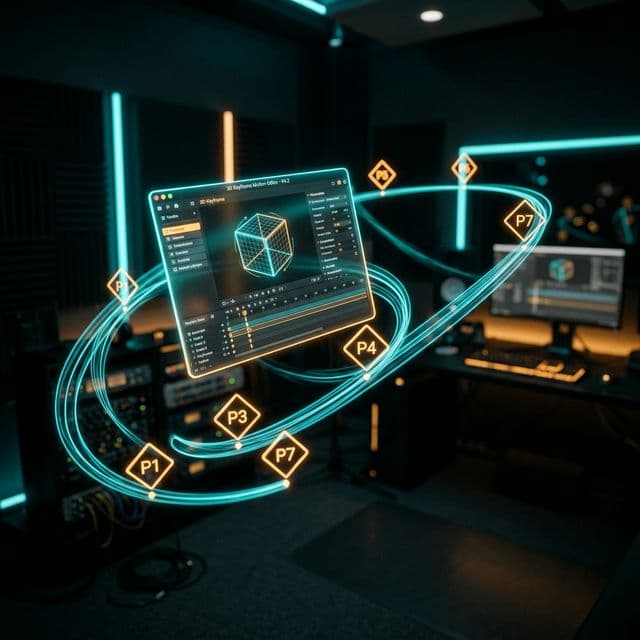
Following up on our cinematic templates, we know that many of our power users want more—specifically, more control. Today, we are thrilled to announce Sprint 88: Transform3D Multi-Keyframe Support.
This update transforms our 3D engine from a simple motion tool into a comprehensive NLE-grade animation system.
Beyond A to B: The Power of Multi-Phase Motion
Previously, Transform3D was limited to a single "Start" and "End" state. While this was great for simple pans and zooms, it lacked the flexibility for complex storytelling.
With Keyframe Mode, you can now add as many points as you need along a single region. Want the camera to zoom in on a button, hold for 2 seconds, and then fly out to a bird's-eye view? Now you can do it all in one segment.
Key Features of the New Keyframe System
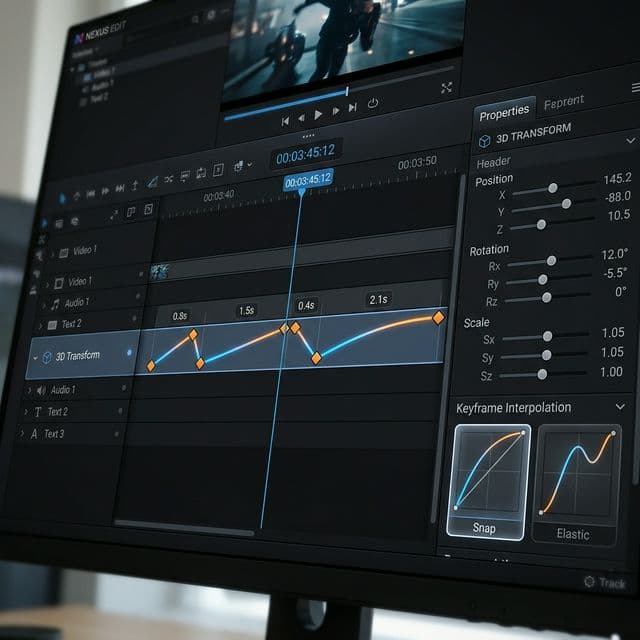
- Unlimited Keyframes: Add as many diamond markers as you need to build your custom path.
- Per-Keyframe Easing: Every segment between keyframes can have its own easing curve—Snap, Elastic, Bounce, or smooth Ease-in/out.
- Interactive Timeline Editing: Drag markers directly on the timeline track to perfect your timing without ever opening a menu.
- Visual Durations: See exactly how long each phase takes with real-time duration labels between markers.
Try Screenify Studio — free, unlimited recordings
Auto-zoom, AI captions, dynamic backgrounds, and Metal-accelerated export.
Precision Editing Tools
We've introduced a dedicated Keyframe Strip in the Properties Panel and a Keyframe Navigator on the Floating Panel. These tools let you jump between keyframes and fine-tune rotations, offsets, and scales with professional precision.
Seamless Integration with Templates
The best part? The keyframe system works perfectly with the templates launched in Sprint 87. You can apply a template as a starting point and then switch to Keyframe Mode to add your own custom flourishes.
Unlock Your Creative Potential
Advanced 3D Keyframing is designed for creators who don't want to compromise on their vision. It's the most powerful 3D animation tool ever built for a screen recorder, and it's available now in Screenify Studio.
Ready to choreograph your next masterpiece?

Try Screenify Studio
Record your screen with auto-zoom, AI captions, dynamic backgrounds, and Metal-accelerated export. Free plan, unlimited recordings.
Download Free



