Cinematic 3D Motion Templates: Take Your Screen Recordings to the Next Level
Introducing 26 professional camera motion templates for Transform3D. Achieve cinematography-grade animations instantly with Dolly, Pan, and Orbit presets.
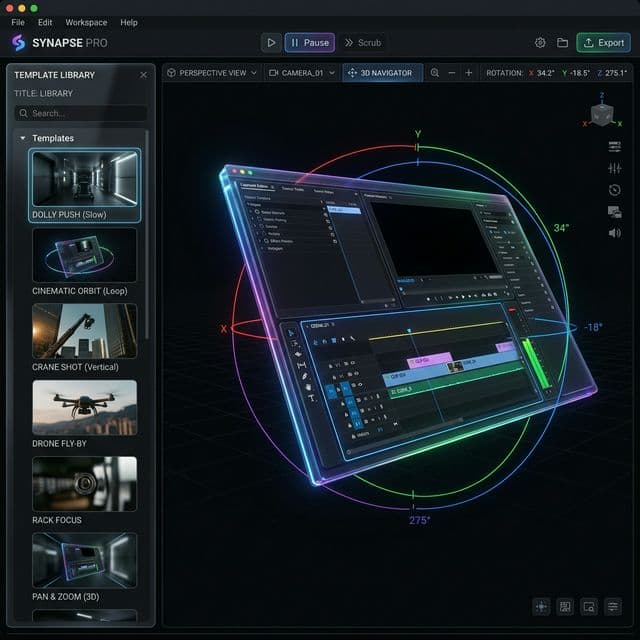
Creating professional-looking video transitions and camera movements shouldn't require a degree in cinematography. With the release of Sprint 87, we are bringing the power of high-end film production directly to your screen recordings with our brand-new Transform3D Template System.
Whether you're creating a product demo, a tutorial, or a marketing video, you can now apply complex, smooth camera motions with just one click.
What are Transform3D Templates?
Transform3D Templates are pre-configured camera paths inspired by international cinematography standards. Instead of manually adjusting X, Y, and Z rotations, you can simply browse our library and choose the movement that fits your story.
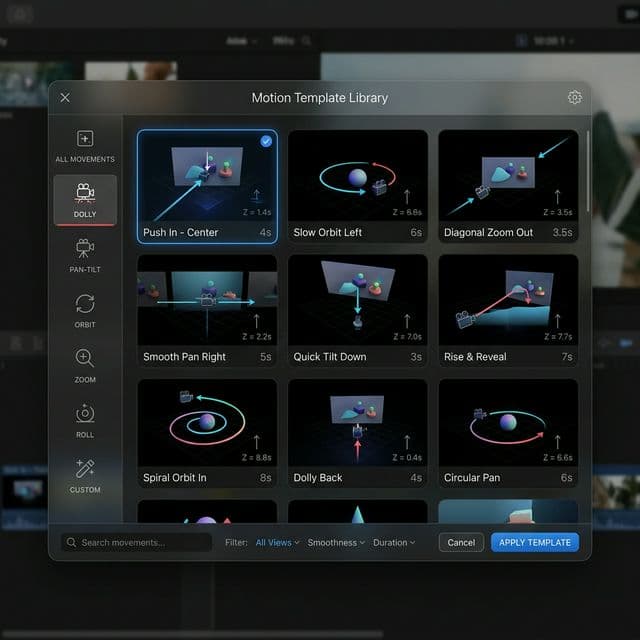
26 Professional Presets at Your Fingertips
We've bundled 26 essential templates categorized into five professional groups:
- Dolly (Push In / Pull Out): Create focus by moving the camera toward or away from your UI highlights.
- Pan & Tilt: Classic horizontal and vertical rotations that feel natural and fluid.
- Orbit & Crane: Dynamic movements that sweep around your screen or elevate the perspective.
- Static Angles: Perfect Hero angles and Three-Quarter views to frame your content beautifully.
- Compound Movements: High-end combinations like "Crane + Orbit" for that premium, high-budget feel.
Pro-Grade Effects, Accessible to Everyone
All users can preview every template in real-time within the editor. While 7 of our most popular templates are available for everyone, our Pro users get unlimited access to the full library of 26+(and counting) cinematic presets.
The best part? Our template library is connected to the cloud, meaning we’ll be adding new movements and styles regularly without you ever having to update the app.
A Growing Ecosystem: Your Input Matters
Sprint 87 is just the beginning. Our team is already working on a wide range of new specialized templates for specific use cases like mobile app showcases, game dev highlights, and educational deep-dives.
We also believe in the power of the creator community. Have a specific 3D movement you use all the time? We want to hear from you. In future updates, we’ll be opening up a way for users to contribute their own Transform3D templates to the library, allowing everyone to benefit from your creative choreography.
How to Get Started
- Select a Transform3D region on your timeline.
- In the Properties Panel, click "Browse Templates".
- Choose your favorite motion and watch your screen recording transform into a cinematic experience.
Download Screenify Studio and start creating today!

Try Screenify Studio
Record your screen with auto-zoom, AI captions, dynamic backgrounds, and Metal-accelerated export. Free plan, unlimited recordings.
Download Free



