iPhone mockup generator · Mac
Your app in a real iPhone,
in under a minute
Drop in a screenshot or a screen recording. Put it in a photoreal iPhone, a 3D device, or a real photo — then let the camera orbit, push in or sweep across it. Save a crisp PNG, or a product video that actually plays. No Photoshop, no PSD templates.
Make your first mockup freeFree for macOS · every mockup mode, all 52 photos and every camera move on the free plan
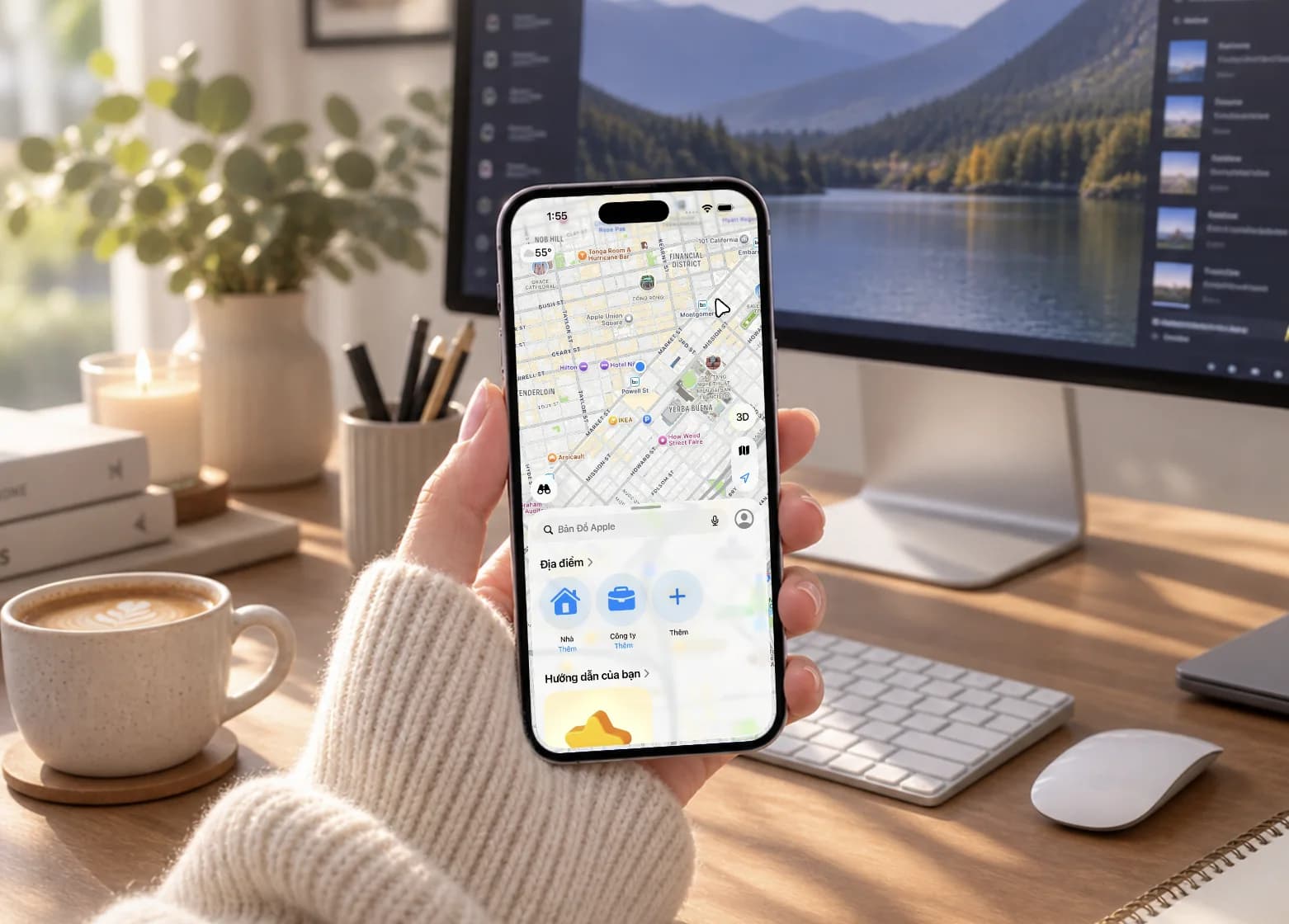
Same screen, a different shot in one click
Swap between a 3D close-up, a multi-device scene and a real photo without re-editing anything.
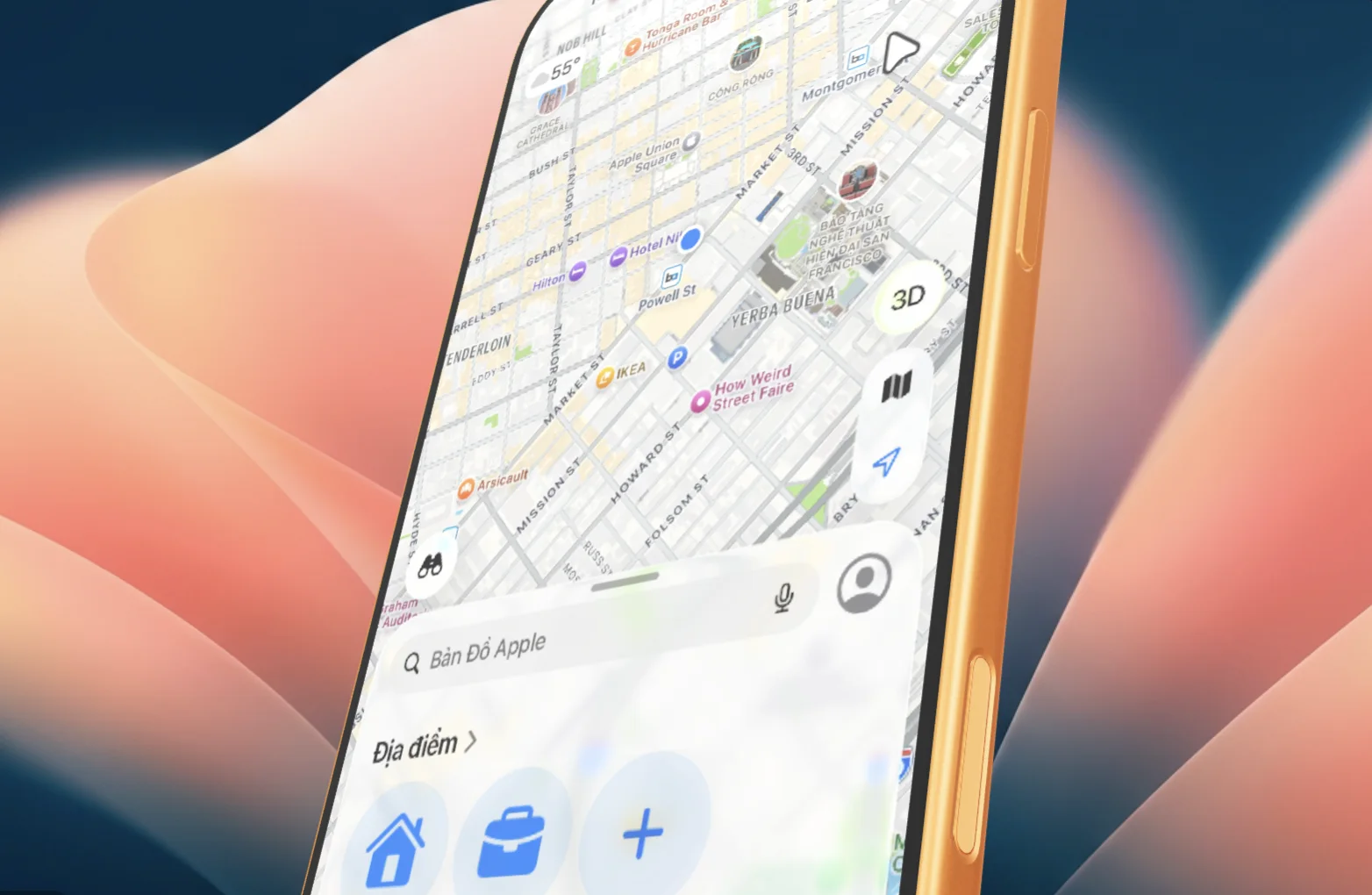

How to make an iPhone mockup on your Mac
- 1
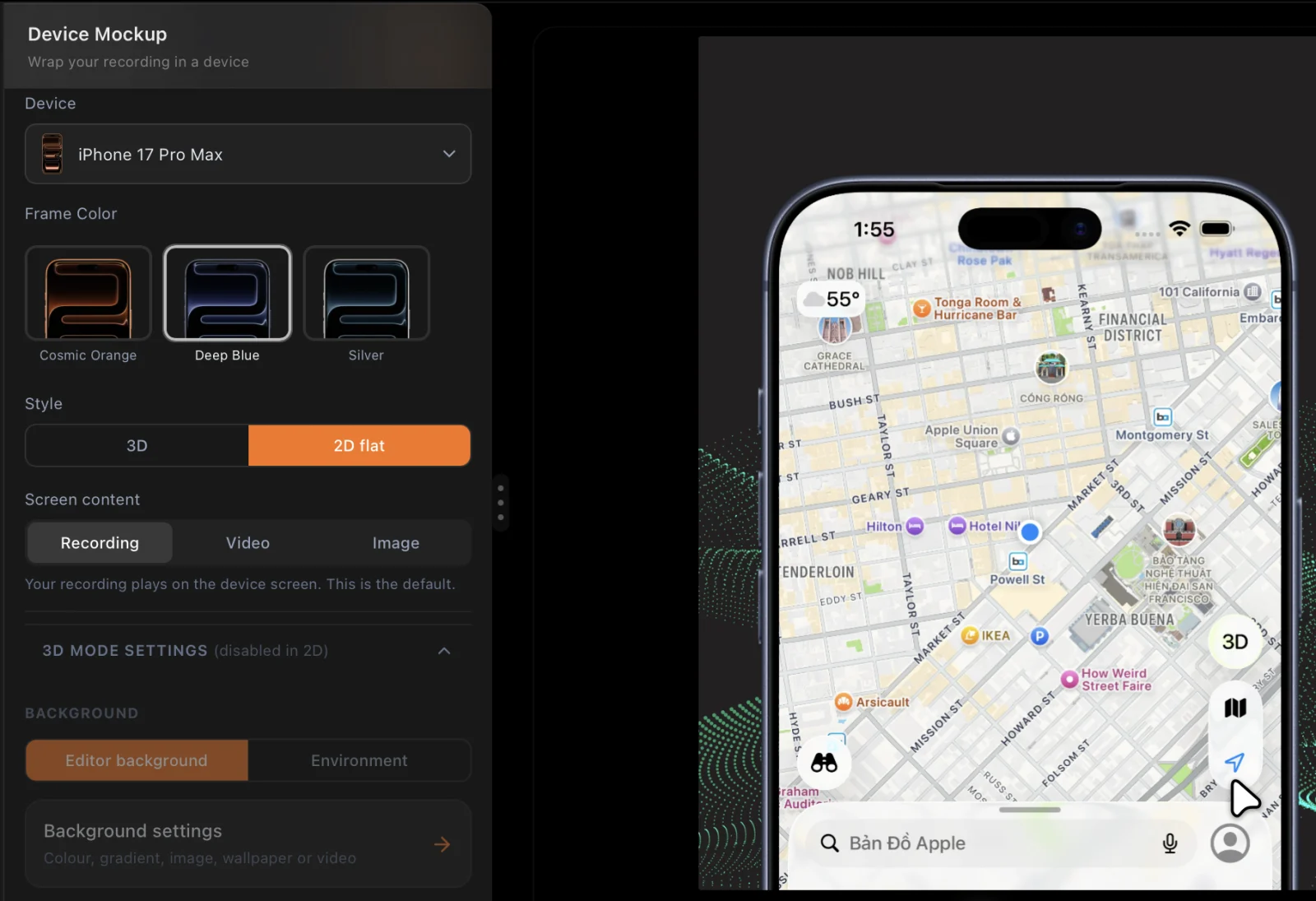
Open your screenshot or recording
Start from the welcome screen with any image or video you already have — or record your app, the iOS Simulator or a real iPhone over USB.
- 2
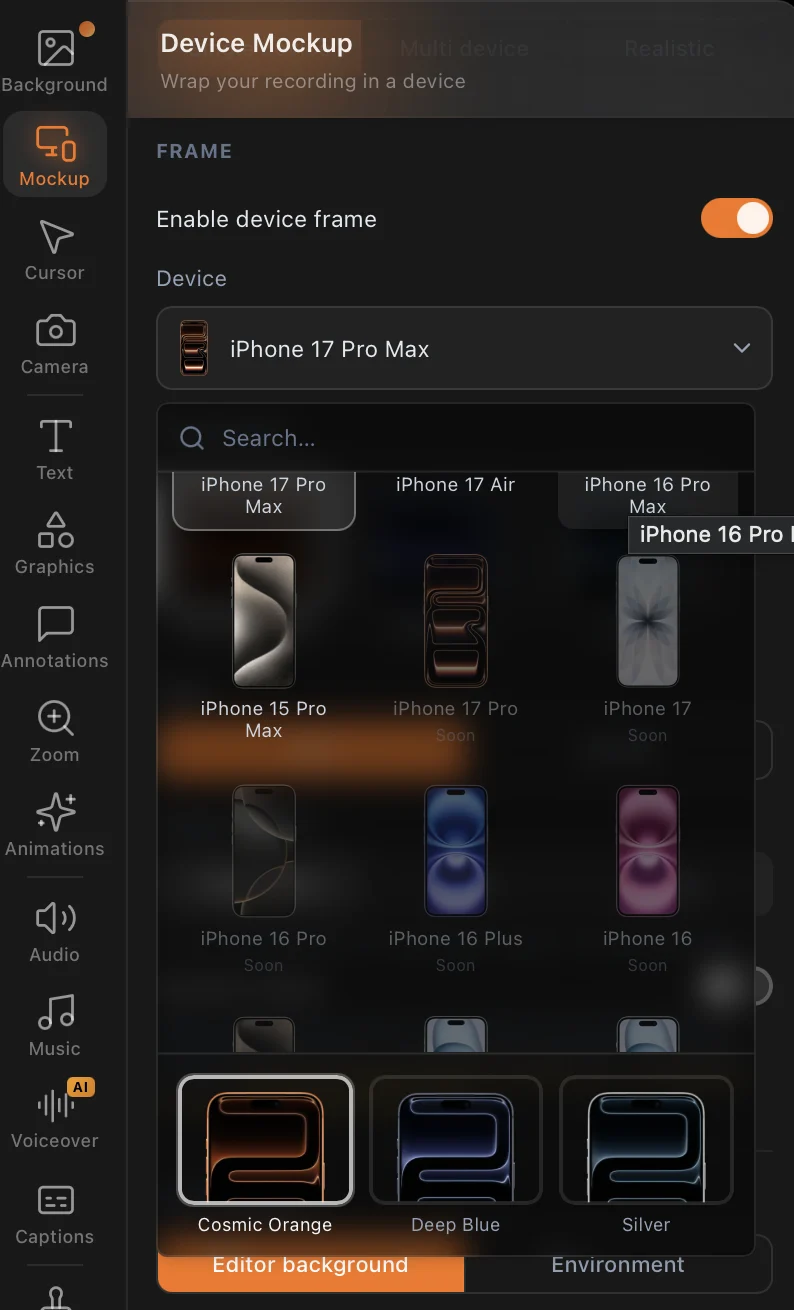
Pick the iPhone and its colour
Choose a flat photoreal frame or a 3D device, then the exact model and finish. Add a background, a second device, or a real-photo scene.
- 3
Save it as PNG — or export the video
Click "Save frame as image" for a lossless PNG or a JPG, or copy it to the clipboard. For motion, export MP4, GIF, WebP or an App Store Preview.

Three ways to show your app
One toggle at the top of the Mockup tab. Switch modes and your recording comes with you.
Single device
One iPhone, exactly the one your users hold.
- 2D: a photoreal frame — 20 iOS models from iPhone 14 to the iPhone 17 family, plus iPads, in 81 real finishes
- 3D: a real model you can tilt, light and fly a camera around
- Your recording, another video or a still on the screen — fit, scale and Dynamic Island under your control
Multi device
Your product across phone and Mac, in one shot.
- Up to three devices in one 3D scene, each with its own screen
- 6 one-click templates: Ecosystem Reveal, Apple Family, Duo Slide, Toss-Up Fan, Trio Assemble, Hero Focus
- Or arrange it yourself: Ecosystem, Mac + iPhone, Trio, Fan or Toss-Up
Photo mockup
Your app in a real photograph, not a render.
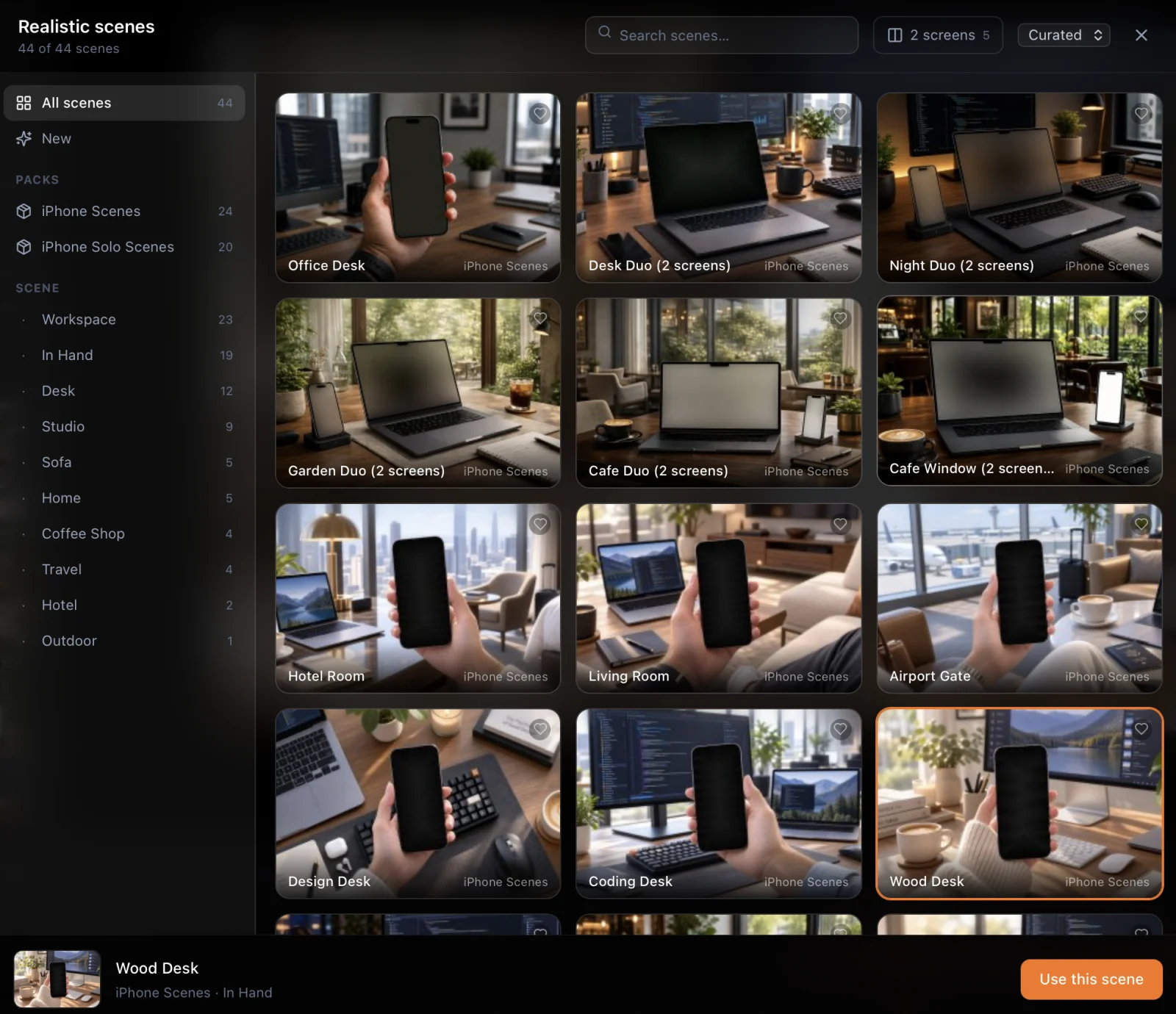
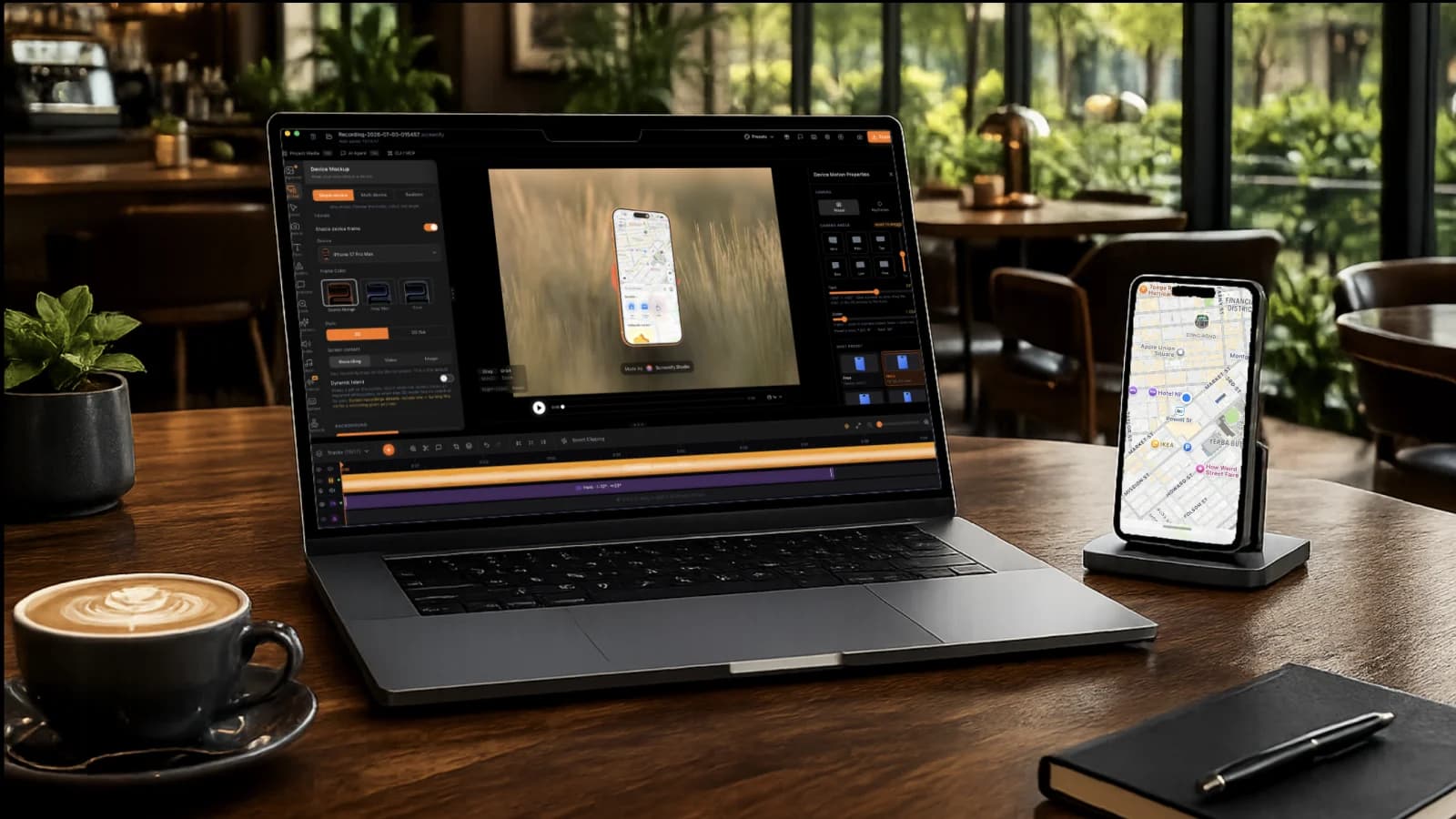
- 52 real photos in three packs — iPhone Scenes, iPhone Solo Scenes and Mac Workspaces — with the screen perspective already measured
- Hands, desks, coffee shops, sofas, travel, hotel rooms, studio shots
- Drag to frame the shot; Screenify keeps the phone in view even when it sits off-centre
52 real photos, ready for your screen
Every photo comes with the screen's corners measured, so your recording lands in perspective with no warping by hand. Screenify only shows scenes that match what you recorded — iPhone shots for an iPhone capture, Mac setups for a Mac one. Five scenes hold a laptop and a phone together, each with its own screen.
Then make the camera move
This is where a mockup becomes a product video. Each mode gets its own motion track on the timeline.
Device Motion
for a 3D iPhone, iPad or Mac18 camera shots, ready to drop on the timeline.
5 still angles, such as Hero, Portrait, Drama and Top Down, and 13 moves: Hover Spin, Tilt Loop, Reveal, Breathe, Anthem, Clean, Wander, Top Closeup, Bottom Closeup, Vertigo, Turntable, Whip and Pull Back. Each card previews its move on hover.
Full control: Distance, Speed and Reach reshape any shot. Need something else? Switch to keyframes, drag the phone on the preview to set the angle, scroll to zoom, and pick the easing.
Stage Motion
for a multi-device sceneOne camera glides across the whole scene, like a product film.
Devices assemble, slide in or fan into place while the camera pushes in, orbits or sways. Picking a template sets all of it for you.
Full control: Set speed, easing and the camera move per segment, or keyframe position, angle and zoom. Segments blend in and out so the camera never snaps.

Photo Motion
for a real-photo mockupA still photo that feels like it was filmed.
7 moves: Hold, Push in, Reveal, Pull back, Drift, Breathe and Sweep — each segment with its own timing and easing.
Full control: Give each segment a different photo and your video cuts between real scenes as it plays. Pace the cuts Even, Speed up or Slow down.
Light it like a studio shoot
Lighting
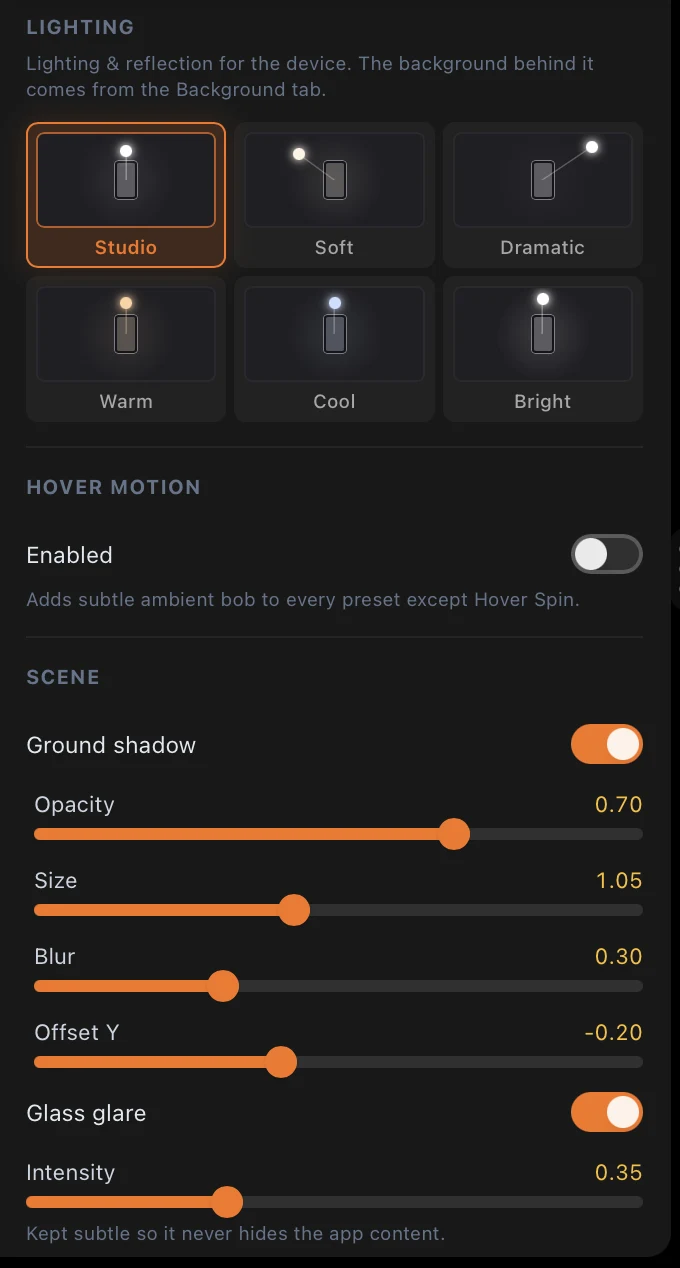
6 moods for 3D scenes: Studio, Soft, Dramatic, Warm, Cool and Bright.
Lens
Aperture and focal length, so the background falls into a soft blur behind the phone.
Backdrop and desk surface
Put the device in an environment or on a desk surface, with a ground shadow you tune for opacity, size, blur and offset.
The small things
Glass glare with its own intensity, an optional hover bob, a MacBook lid you can open and close, a macOS menu bar, and a Dynamic Island only when you need one.
Mockups that move — straight to the App Store
Template sites stop at a still image. Put a screen recording on the iPhone instead and it plays inside the device, with every zoom and camera move you add.
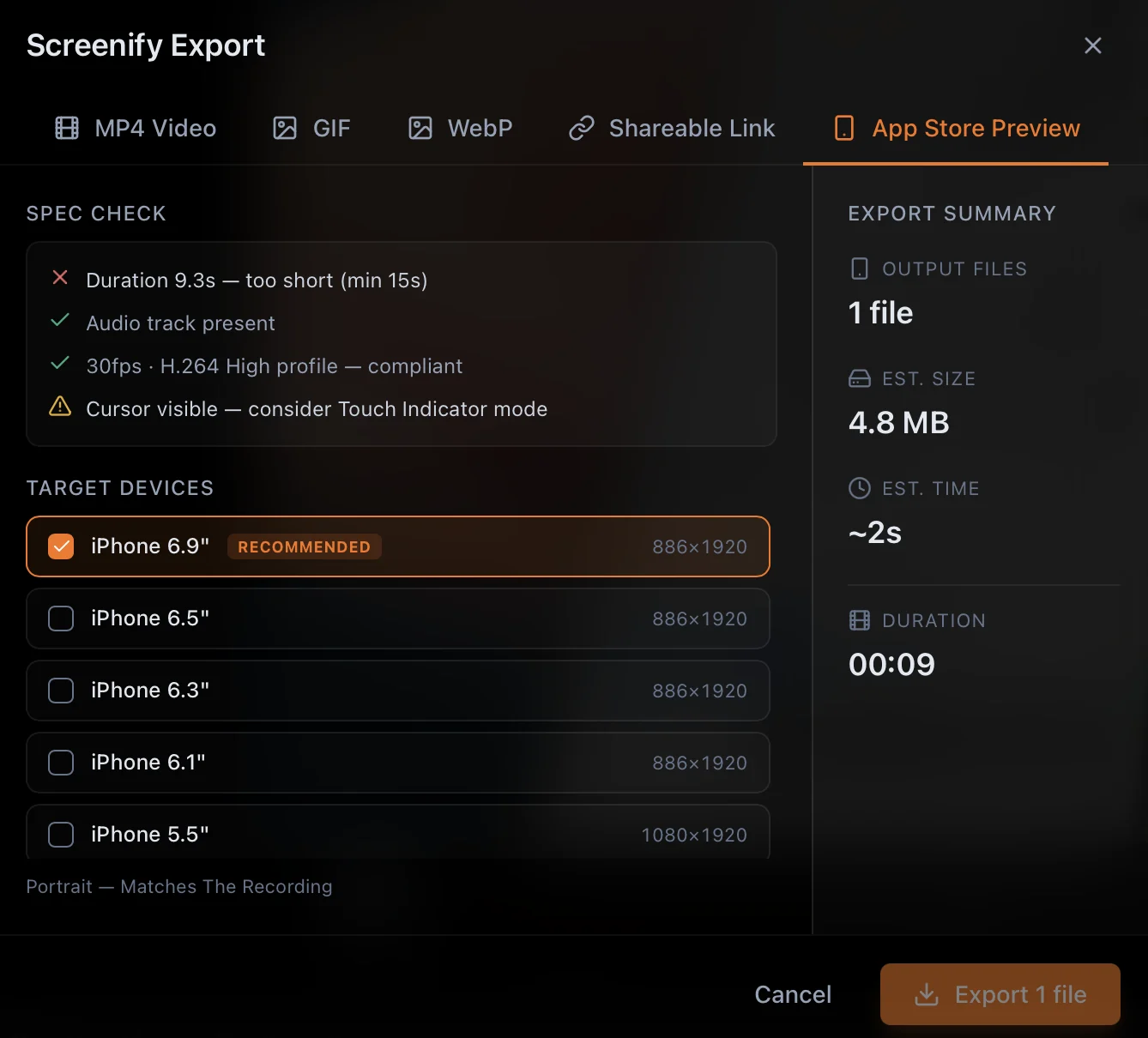
When it's for your listing, export an App Store Preview: Screenify checks the spec — length, audio track, frame rate — and picks the right size for each iPhone display.
Why not just download a PSD mockup?
Template sites give you a nice still frame — and then you need Photoshop or Figma, a smart object, and the patience to line up your screenshot. Every new screen means doing it again.
- Use your real screenshots and recordings — no smart objects to edit.
- Video mockups that play, not just stills.
- The exact iPhone model and finish your users have.
- Change the device, angle or background in seconds, then save again.
- A camera that moves — orbit, push in, sweep — which no PSD can do.
Free to start, Pro when you ship
Every mode on this page — device frames, 3D devices, multi-device scenes, all 52 real photos and every camera move — is on the free plan, with a small watermark. Pro takes the watermark off and adds 4K export — monthly, yearly, or a $149 lifetime license.
iPhone mockup FAQ
Is the iPhone mockup generator free?
Yes. Device frames, 3D devices, multi-device scenes, all 52 real photos and every camera move are on the free plan. Free exports carry a small Screenify watermark, and videos export at 1080p for up to 5 minutes. Pro removes the watermark and unlocks 4K.
Can I export an iPhone mockup as a PNG?
Yes. Use "Save frame as image" next to the Export button to save the current frame as a lossless PNG or a JPG, at full or half resolution, or copy it straight to the clipboard.
Which iPhone models are included?
The flat photoreal frames cover 20 iOS models — iPhone 14 through the iPhone 17 family, plus iPad Air, mini and Pro — in 81 colours, with the correct Dynamic Island. 3D iPhone, iPad and Mac models are available for angled shots.
Can I make an animated or video iPhone mockup?
Yes, and that is where Screenify differs from template sites. Drop in a screen recording and the video plays inside the iPhone. Export it as MP4, GIF or WebP, or as an App Store Preview with the right size and frame rate.
Can the camera move around the iPhone?
Yes. A 3D iPhone gets a Device Motion track with 18 camera shots — 5 still angles and 13 moves such as Turntable, Vertigo, Reveal and Pull Back. Tune each with Distance, Speed and Reach, or switch to keyframes and drag the device on the preview to set your own angles.
What kind of real-photo scenes are there?
52 photographs in three packs: iPhone Scenes (24), iPhone Solo Scenes (20) and Mac Workspaces (8). Hands holding a phone, desks and workspaces, coffee shops, sofas, travel, hotel rooms and studio shots. Five of them show a laptop and a phone together, and each screen gets its own content.
Do I need Photoshop or Figma?
No. There are no PSD smart objects to edit. Open your screenshot or recording in Screenify, pick a device and colour, and save. It runs as a native Mac app.
Can I put an iPhone and a MacBook in the same mockup?
Yes. Multi-device mode holds up to three devices in one 3D scene, each with its own screen. Start from one of 6 one-click templates such as Ecosystem Reveal or Duo Slide, or pick an arrangement — Ecosystem, Mac + iPhone, Trio, Fan or Toss-Up — and build your own.
Make your first iPhone mockup today
Free for macOS. Your screenshot in, a launch-ready mockup out.
Download Screenify Studio