Transform3D: A New Dimension of Screen Storytelling
Bring depth to your recordings with professional 3D perspective effects. From static tilts to cinematic motion transitions.
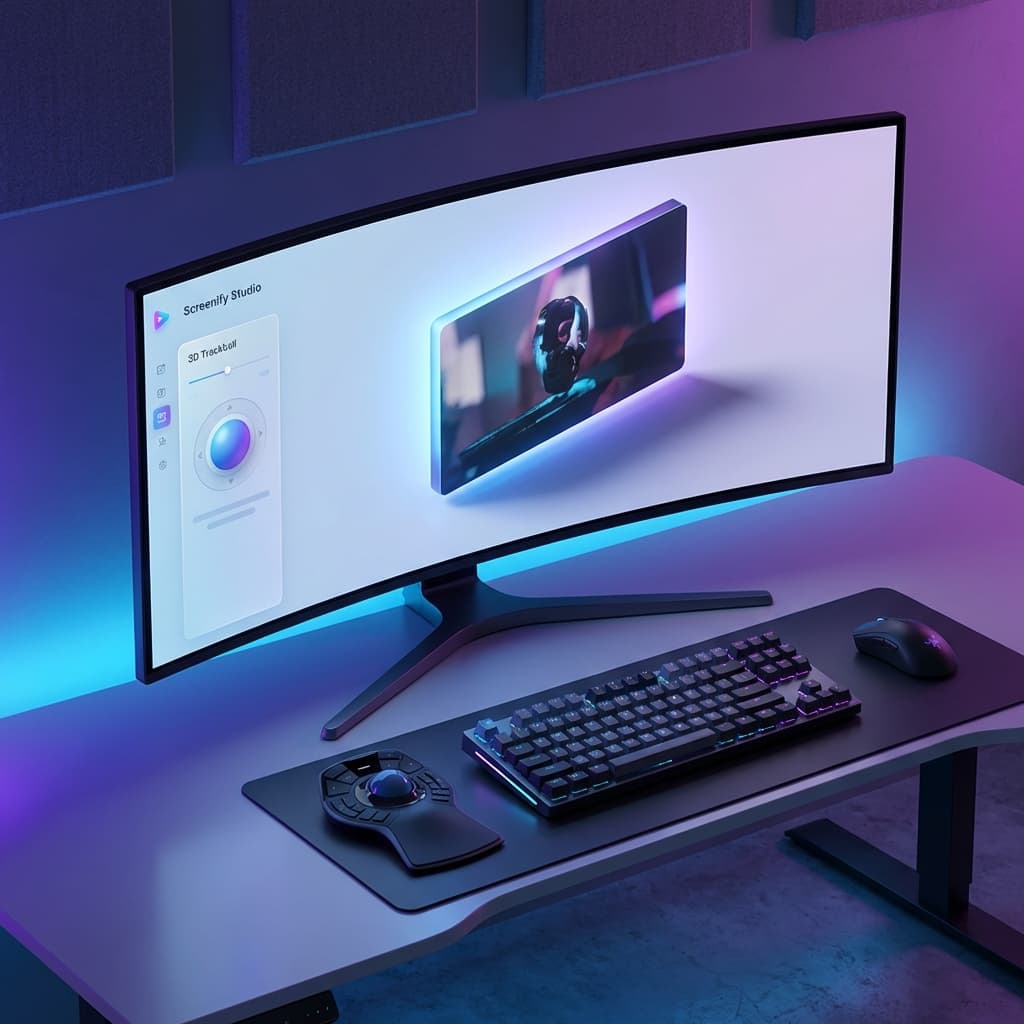
Modern video production isn't flat. If you've ever admired the high-end product demos from top tech companies, you've likely seen those mesmerizing 3D perspective shifts that bring an interface to life.
Today, we're bringing that same professional polish to everyone with Transform3D in Screenify Studio.
1. Professional Perspective in Seconds
Transform3D allows you to apply 3D rotation, position, and scale effects to your main video track. It’s perfect for:
- Tutorial Intros: Give your screen a slight tilt for a more "cinematic" feel.
- UI Spotlights: Zoom into a feature while simultaneously tilting the perspective to focus on the details.
- Creative Layouts: Move and rotate your screen to create unique, non-standard video compositions.
2. Dynamic Motion: From Start to End
Static effects are just the beginning. Transform3D features a powerful Motion Mode that lets you animate your perspective over time:
- Start → End States: Define exactly how you want your video to look at the beginning and end of a segment.
- 8 Easing Curves: Choose from professional easing presets like Ease-In-Out, Bounce, or Elastic to make your transitions feel natural and snappy.
- Motion Paths: Don't just move in a straight line. Use Arc, Wave, or Zigzag paths to add extra personality to your screen's movement.
3. The 3D Trackball: Intuitive Control
Forget about messy coordinate fields. We've built an interactive 3D Trackball that makes professional-grade transformations intuitive:
- Drag to Rotate: Simply click and drag the trackball to tilt your video in any direction.
- Command + Drag to Move: Reposition your screen across the 3D canvas with ease.
- Option + Drag to Scale: Adjust the size of your video while maintaining perfect perspective.
- 9-Grid Presets: Instantly snap to common positions like Top-Left or Center with our quick-selection grid.
4. Performance Without Compromise
Creating 3D perspective requires massive mathematical calculations. Screenify Studio handles this effortlessly using a Bilinear Quad Inversion algorithm running on the GPU:
- 60fps Smoothness: Whether you're in preview or export, transitions are calculated frame-by-frame on the GPU.
- Metal & WGSL Support: We've written custom shaders for both our Metal and Standard export engines, ensuring perfect parity between what you see and what you share.
- Anti-Aliasing: Our shaders include specialized anti-aliasing to ensure that rotated edges and corners remain razor-sharp, even at steep angles.
When to use Transform3D?
- Use 'Motion' for emphasis: When introducing a new section of your video, a slow 3D tilt can signal a transition to the viewer.
- Use 'Bounce' for energy: If you're showing a quick tip or a notification, a 3D 'Bounce' effect makes it feel alive.
- Combine with AI Backgrounds: Use a beautiful gradient background behind your 3D-transformed screen for a truly studio-grade look.
Step into the next dimension of screen recording. Transform3D is available now in Screenify Studio.
Depth, motion, and perspective. Upgrade to Screenify Studio.

Try Screenify Studio
Record your screen with auto-zoom, AI captions, dynamic backgrounds, and Metal-accelerated export. Free plan, unlimited recordings.
Download Free



