Just record.
AI does the rest.
3D cinematic effects. AI-powered editing. All processing runs locally on your device. The only screen recorder with features competitors can't match.
Every recording is a
multi-layer production.
30+ camera templates · Dolly, orbit, crane moves · Custom Bezier paths with multi-keyframe control
Zoom + Dim + Border Glow + 3D Depth — combined in one click · 8 animated highlight styles
Auto-detects clicks, typing & mouse dwell · 24 callout styles · Zero manual annotation
Camera & Voice AI · Captions · Translation · Smart Clipping — all 100% local, zero cloud
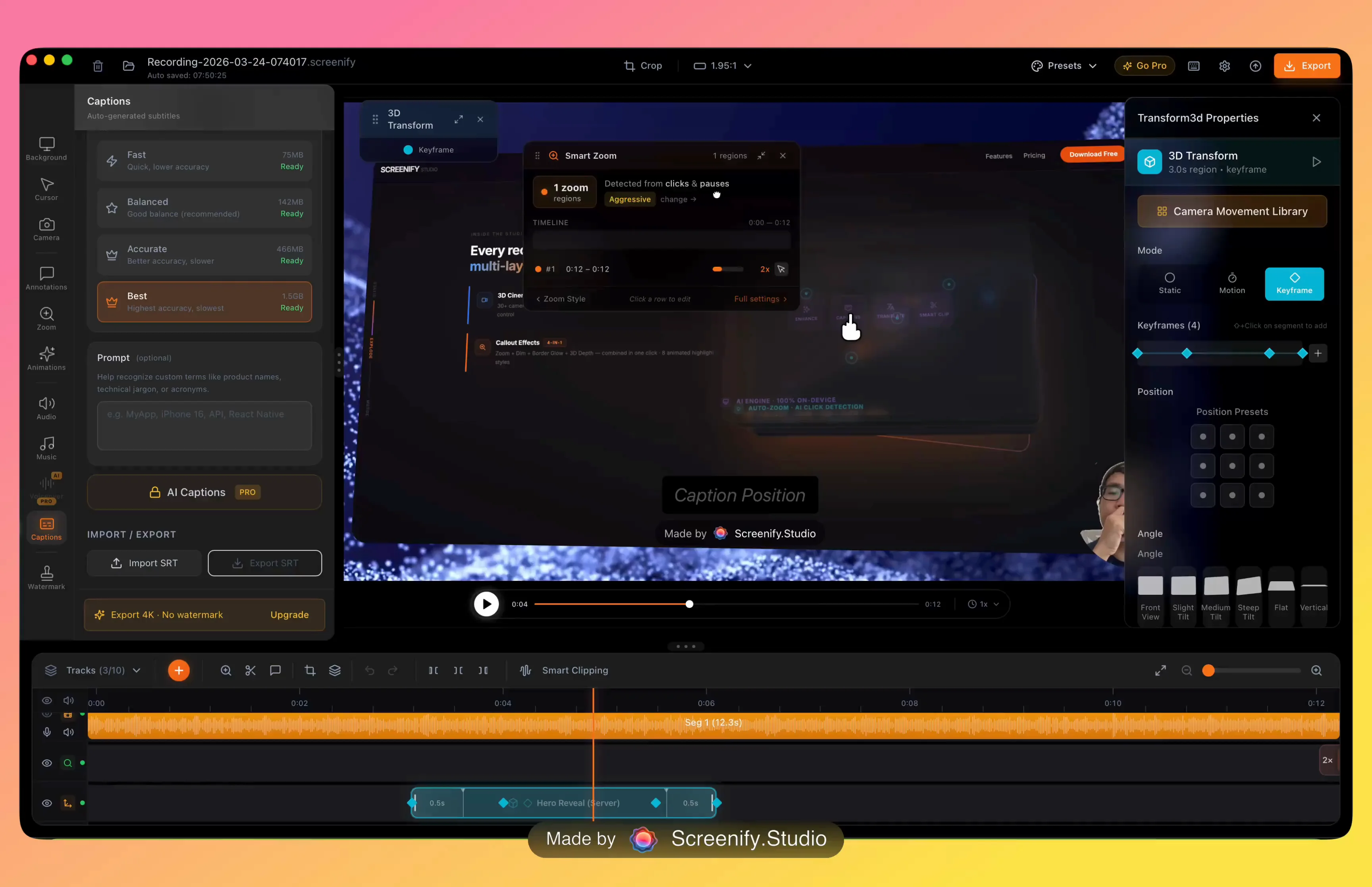
The AI-Native
Screenify Studio
Not AI features added on. AI is the foundation — and it's just getting started.
AI Background Removal
Neural Engine real-time, 3 replace modes
AI Captions & Subtitles
Whisper word-level karaoke sync
AI Translation
50+ languages, 1-click translate
Smart Auto-Zoom
AI click & dwell detection, 24 callout styles + 8 callout effects
AI Smart Clipping
Auto-detect silence & dead zones, suggest trim regions
Metal GPU Export
AI-optimized encoding, 2x faster on Apple Silicon
AI Background Removal
Neural Engine real-time, 3 replace modes
AI Captions & Subtitles
Whisper word-level karaoke sync
AI Translation
50+ languages, 1-click translate
Smart Auto-Zoom
AI click & dwell detection, 24 callout styles + 8 callout effects
AI Smart Clipping
Auto-detect silence & dead zones, suggest trim regions
Metal GPU Export
AI-optimized encoding, 2x faster on Apple Silicon
AI Avatar & Lip Sync
AI-generated avatar with real-time lip sync — present without showing your face
AI Swap Face
Swap your camera face with AI — privacy-first on-device face replacement
AI Voice Dubbing
Text-to-speech voiceover — clone your voice and dub in any language
AI Magnify Lens
Intelligent magnification lens that follows cursor context and highlights key areas
AI Avatar & Lip Sync
AI-generated avatar with real-time lip sync — present without showing your face
AI Swap Face
Swap your camera face with AI — privacy-first on-device face replacement
AI Voice Dubbing
Text-to-speech voiceover — clone your voice and dub in any language
AI Magnify Lens
Intelligent magnification lens that follows cursor context and highlights key areas
Open API, CLI & Extensions
Connect any AI model — OpenAI, Claude, Gemini, local LLMs. Automate with CLI so AI agents can record, edit & export. Build plugins to extend every part of the pipeline.
See what AI can do today
Features competitors can't match
Cinematic effects, intelligent automation, and professional tools — all built in.
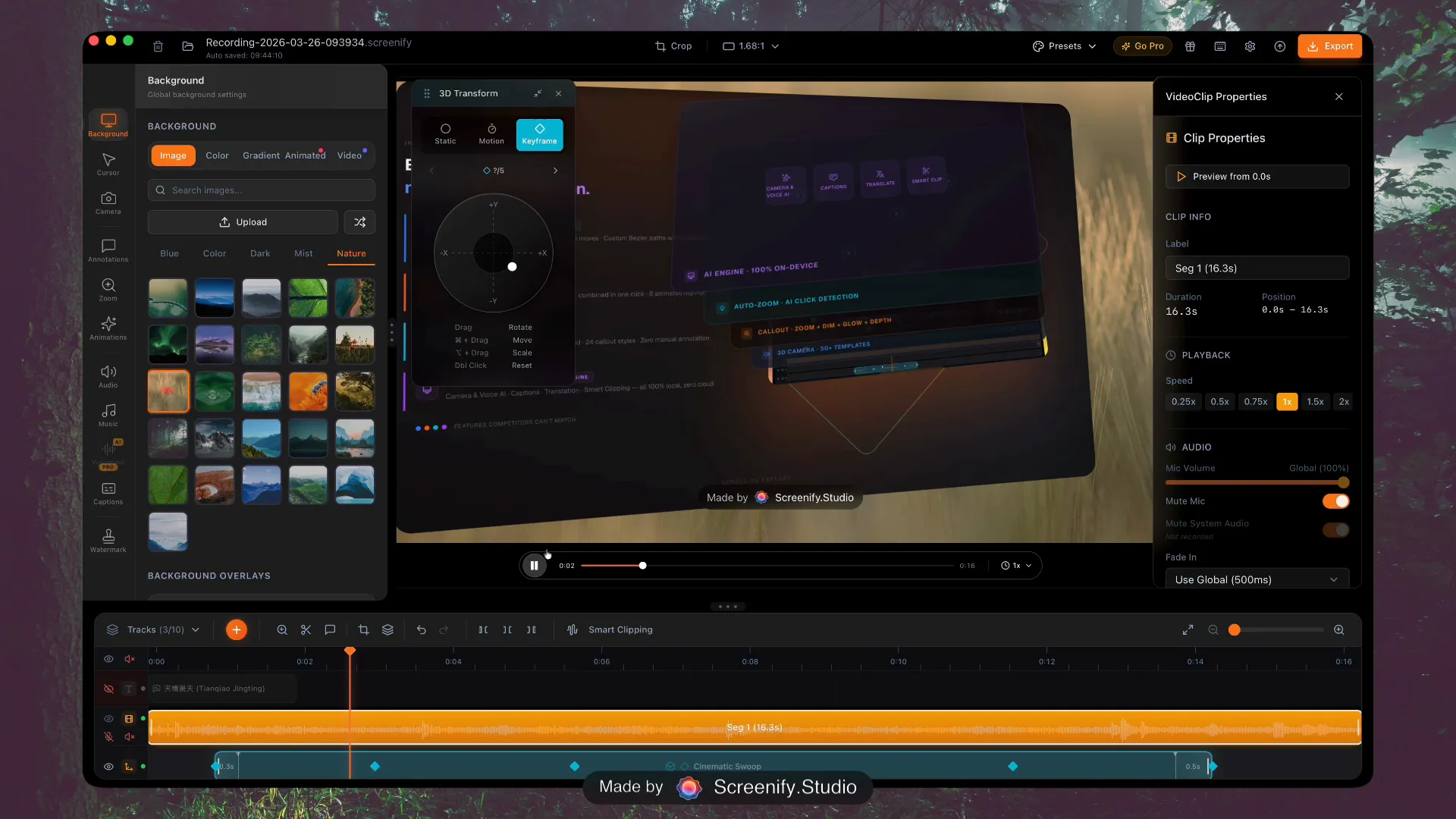
3D Cinematic Camera
30+ Templates30+ cinematic camera templates with multi-keyframe support. Dolly, pan-tilt, orbit, crane — professional cinematography built in.
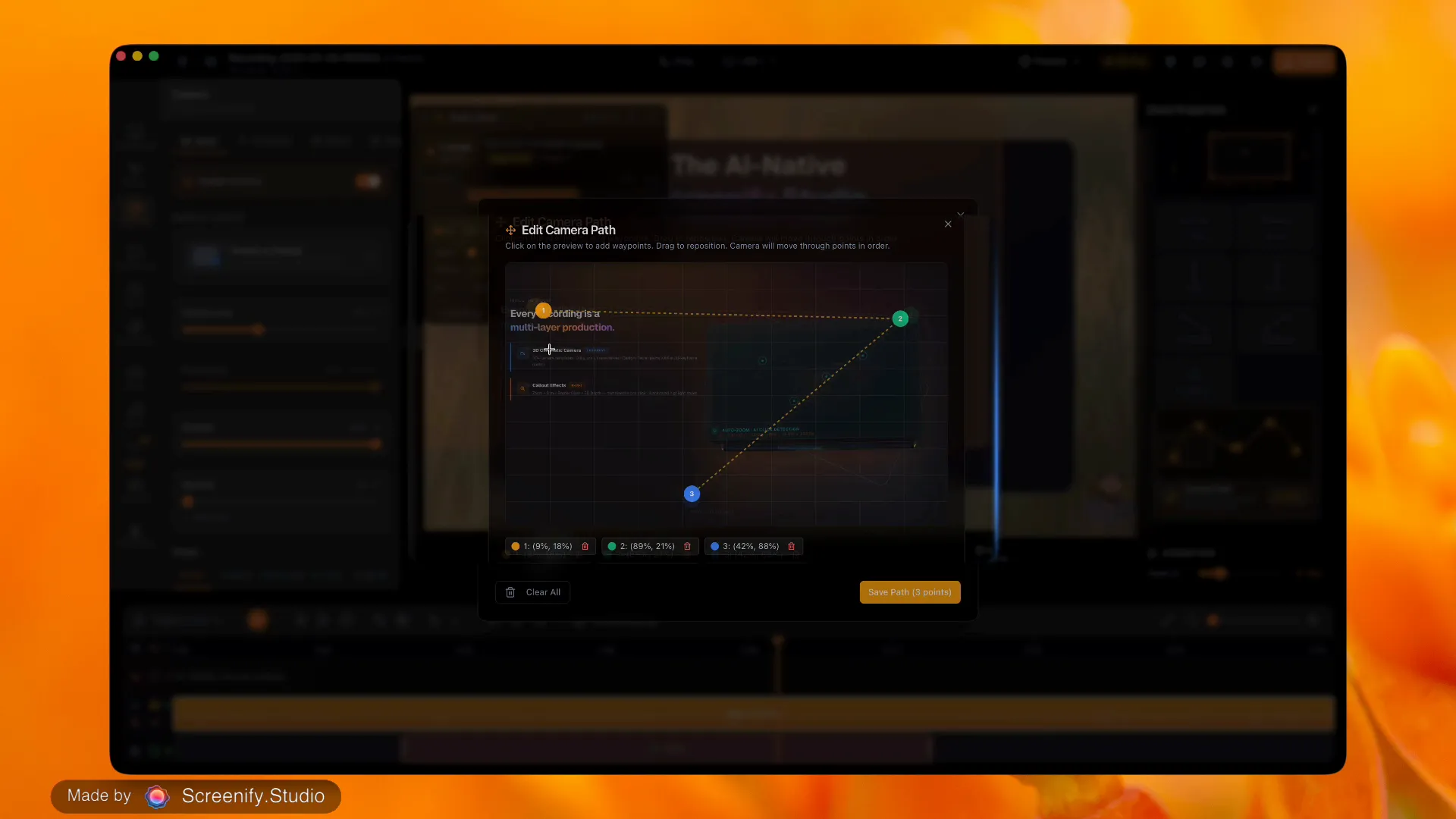
Camera Route Design
ExclusiveCustom camera paths with pan, zoom routes — professional movement on a timeline.
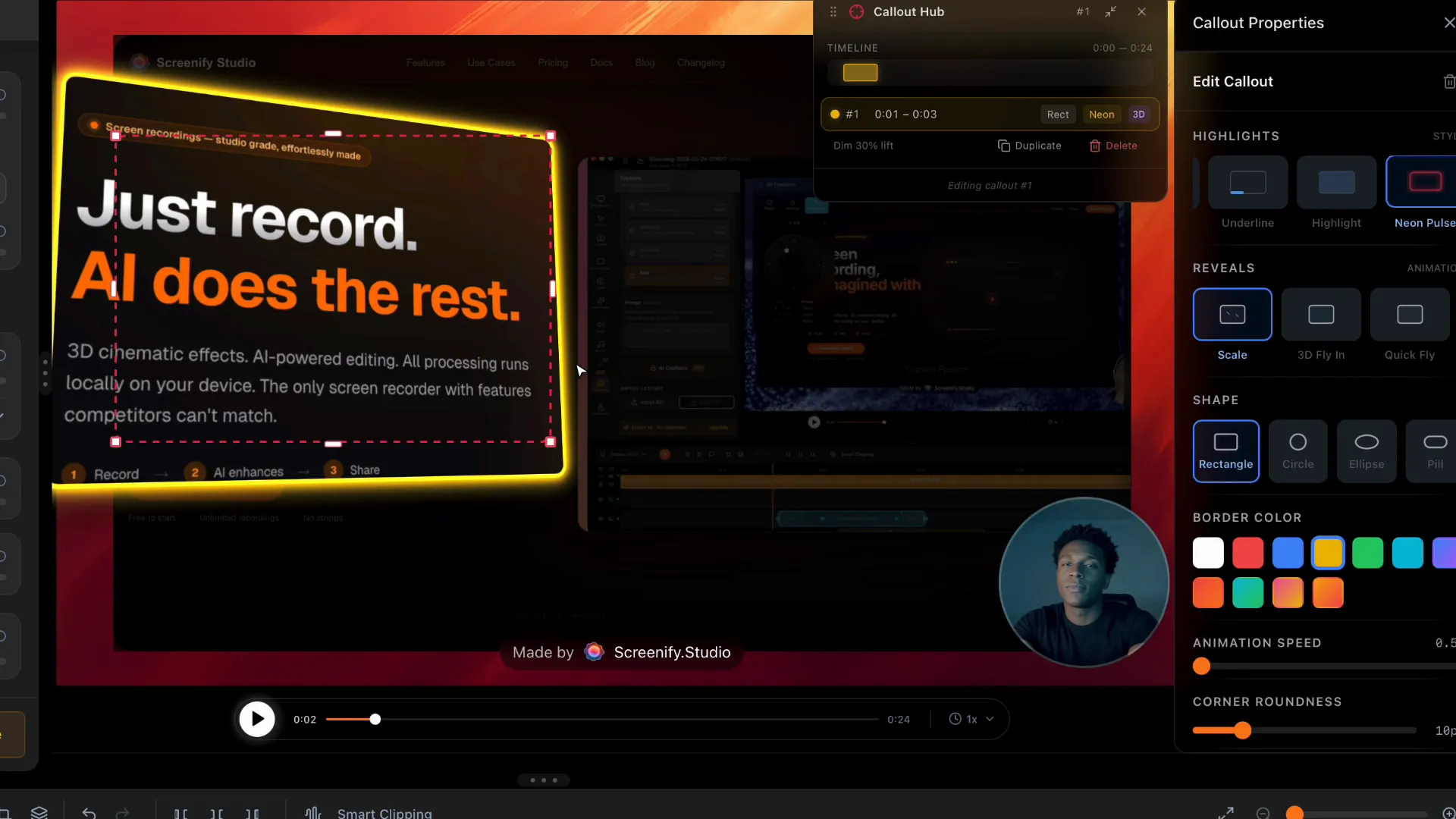
Callout Effects
NewZoom + dim + border glow + 3D depth combined in one segment. 8 animated highlight styles.
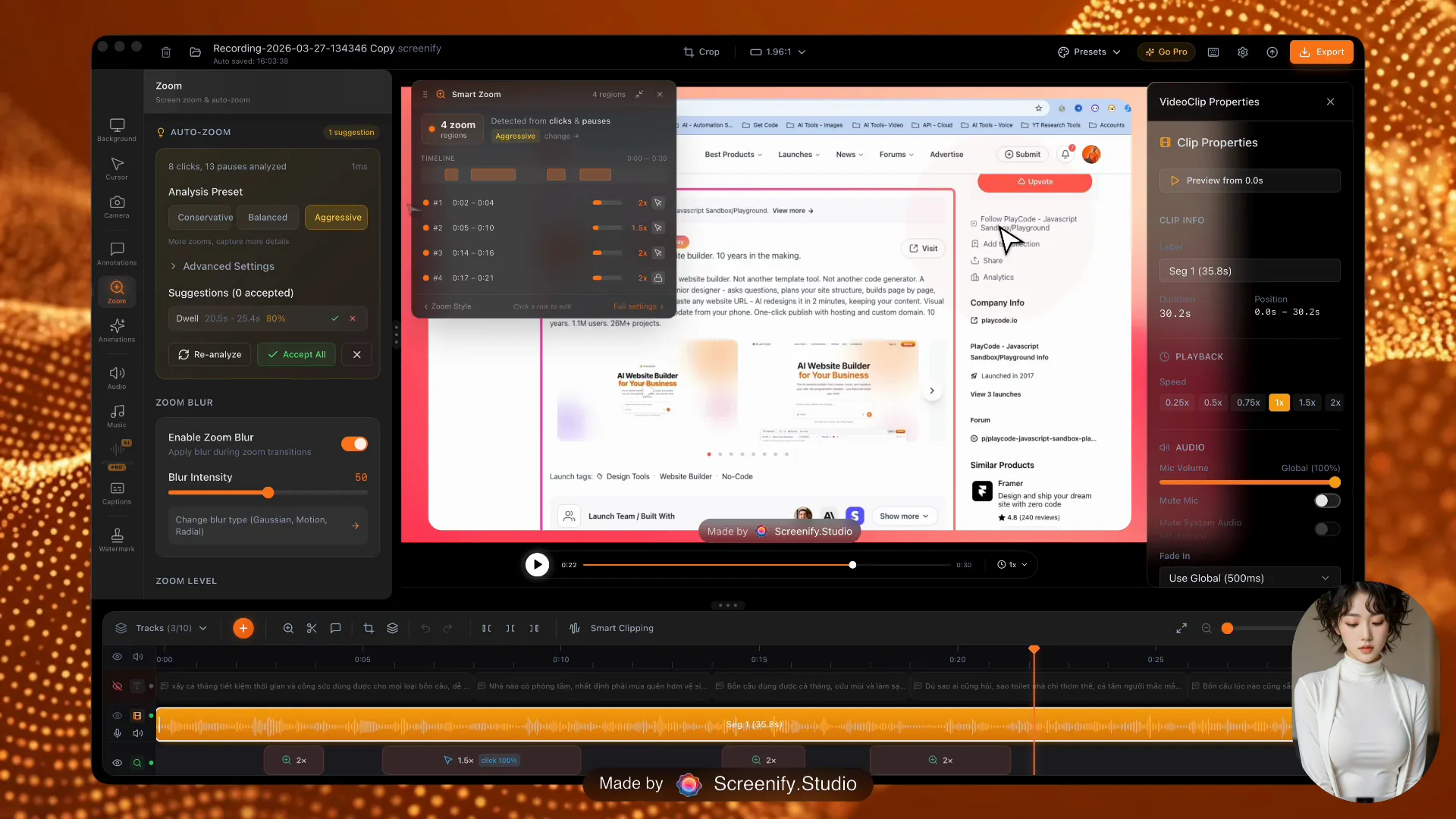
Smart Auto-Zoom
AI detects clicks, typing & mouse dwell to auto-zoom. 24 callout bubble styles.
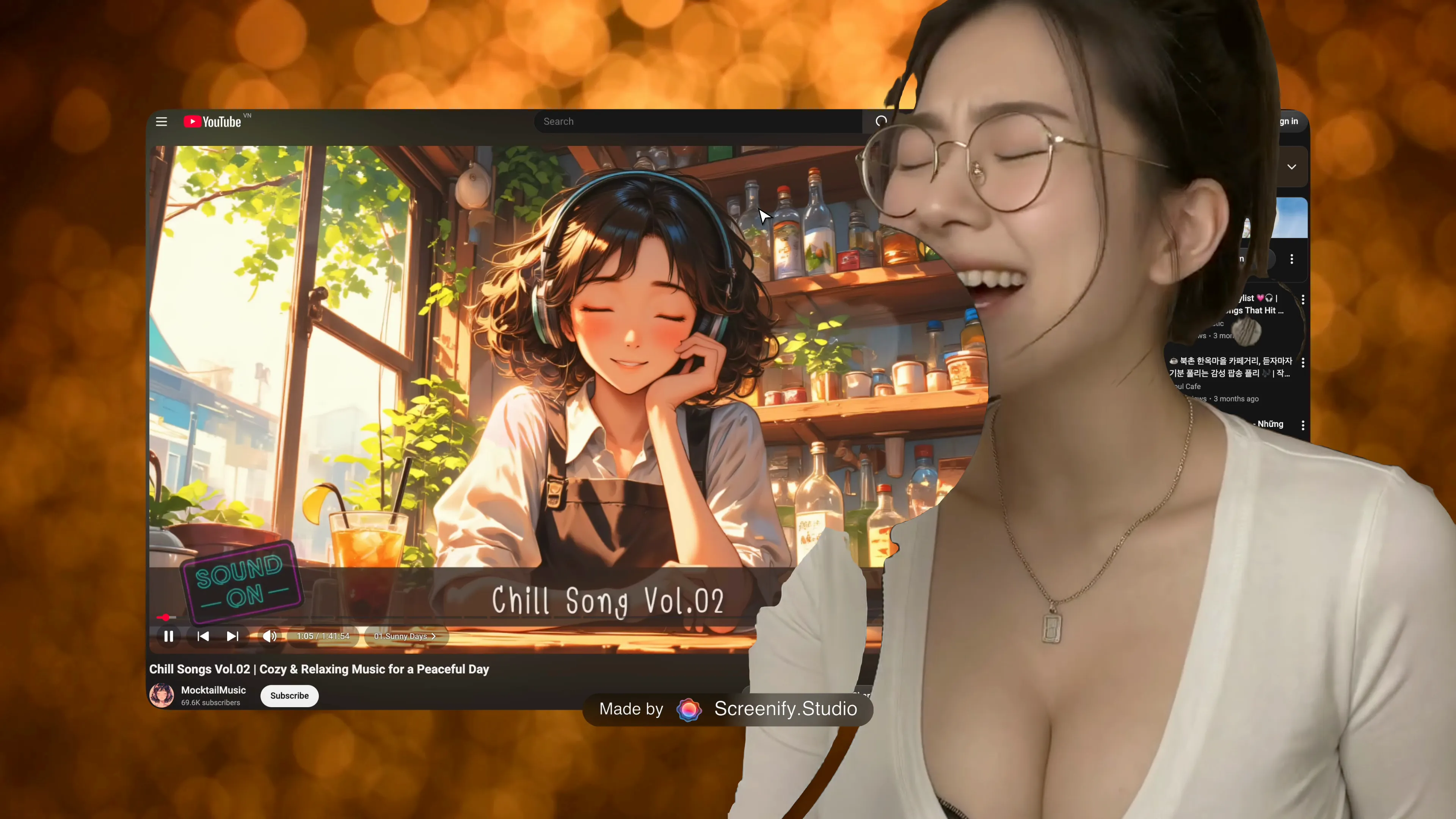
AI Background Removal
AINeural EngineRemove camera background instantly. Replace with blur, solid color, or custom image.
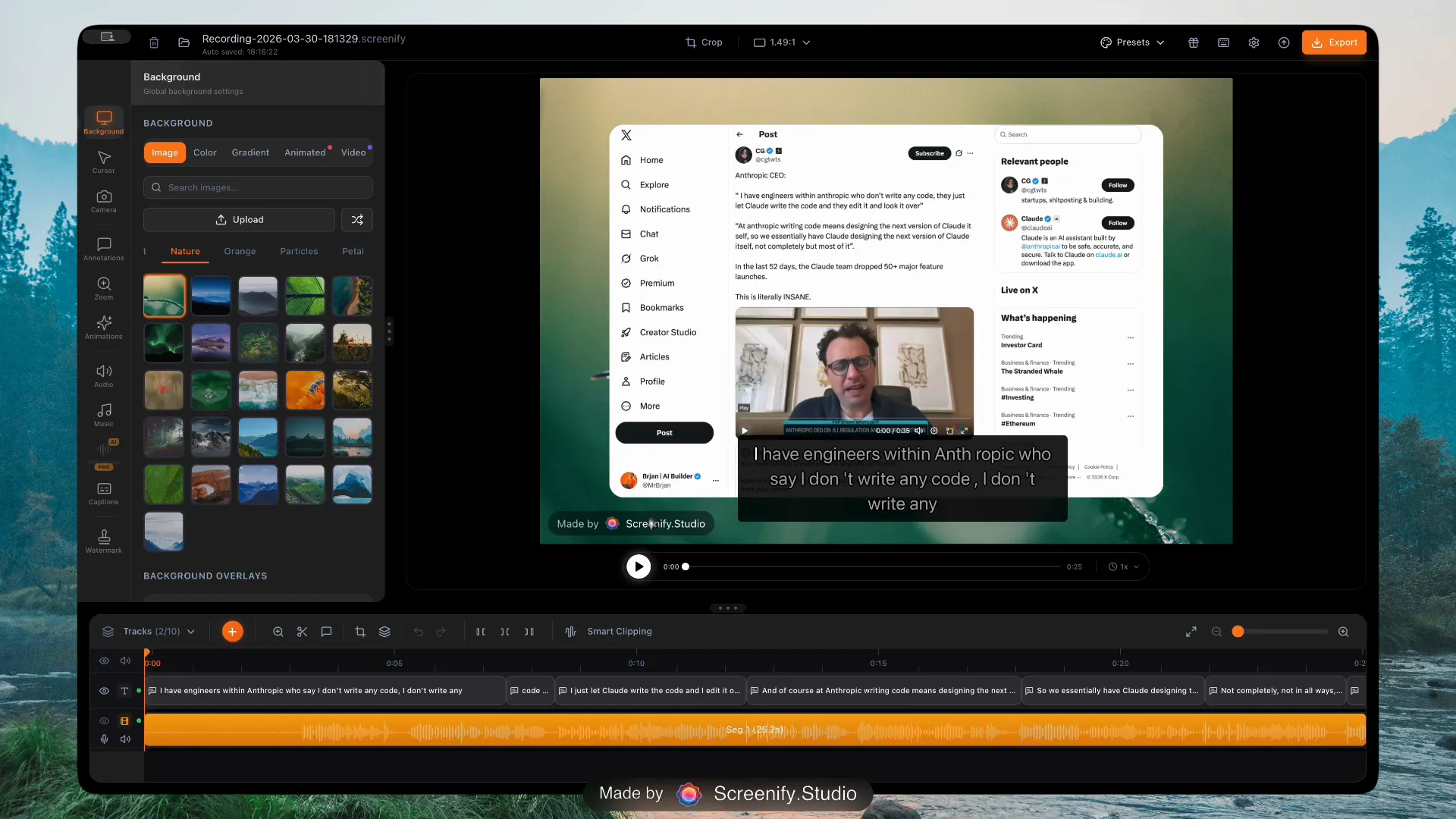
AI Captions & Subtitles
AIWhisperAuto-generate subtitles with word-level karaoke highlighting. Whisper-powered, 98%+ accuracy.
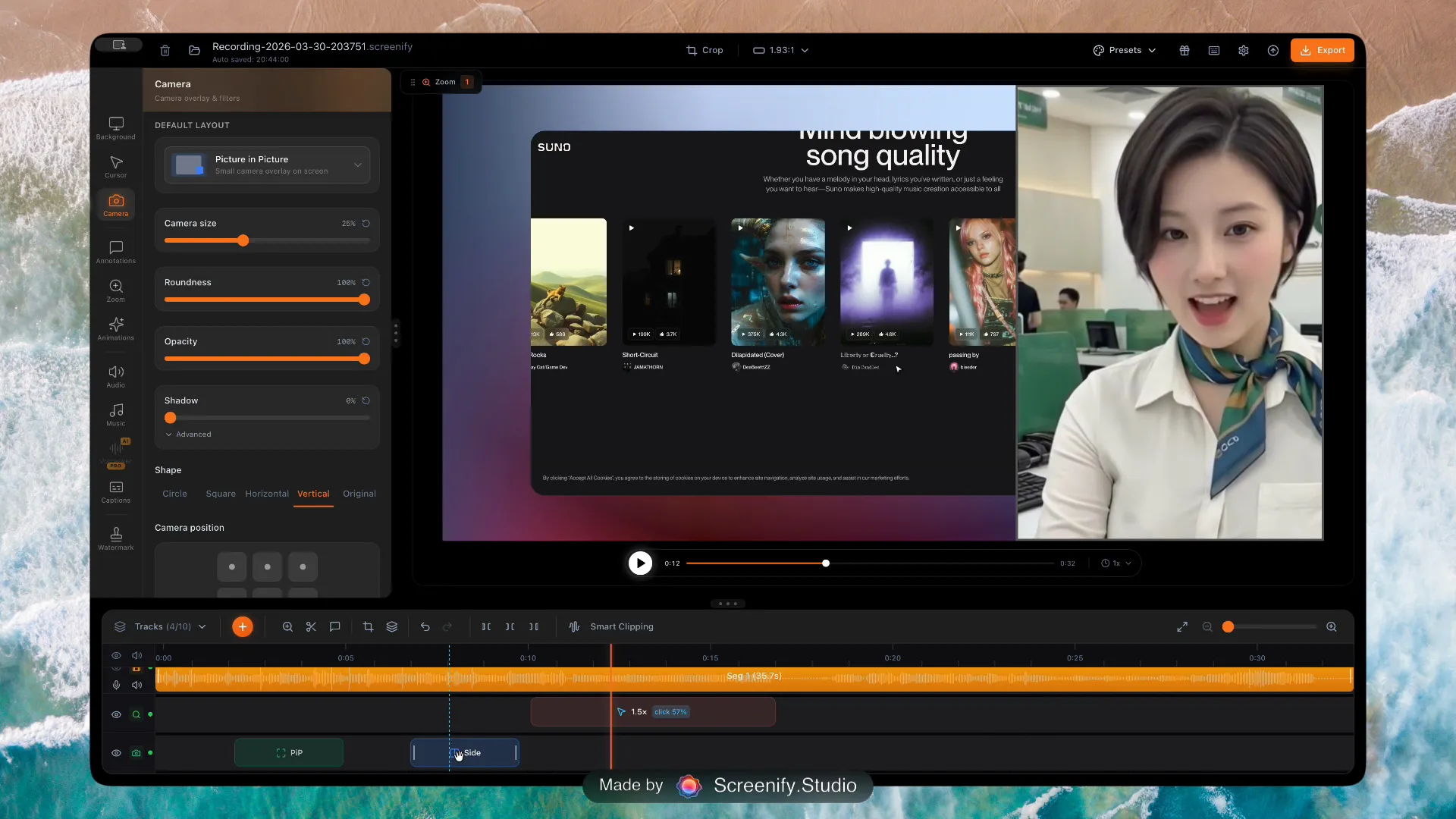
6 Camera Layouts
PiP, Side-by-Side, Focused, Screen-Only, Camera-Only, Custom. Morph transitions.
Experience these features yourself
Everything a pro needs
Dynamic backgrounds, branding, multi-track editing, flexible recording, AI translation, and smart clipping.
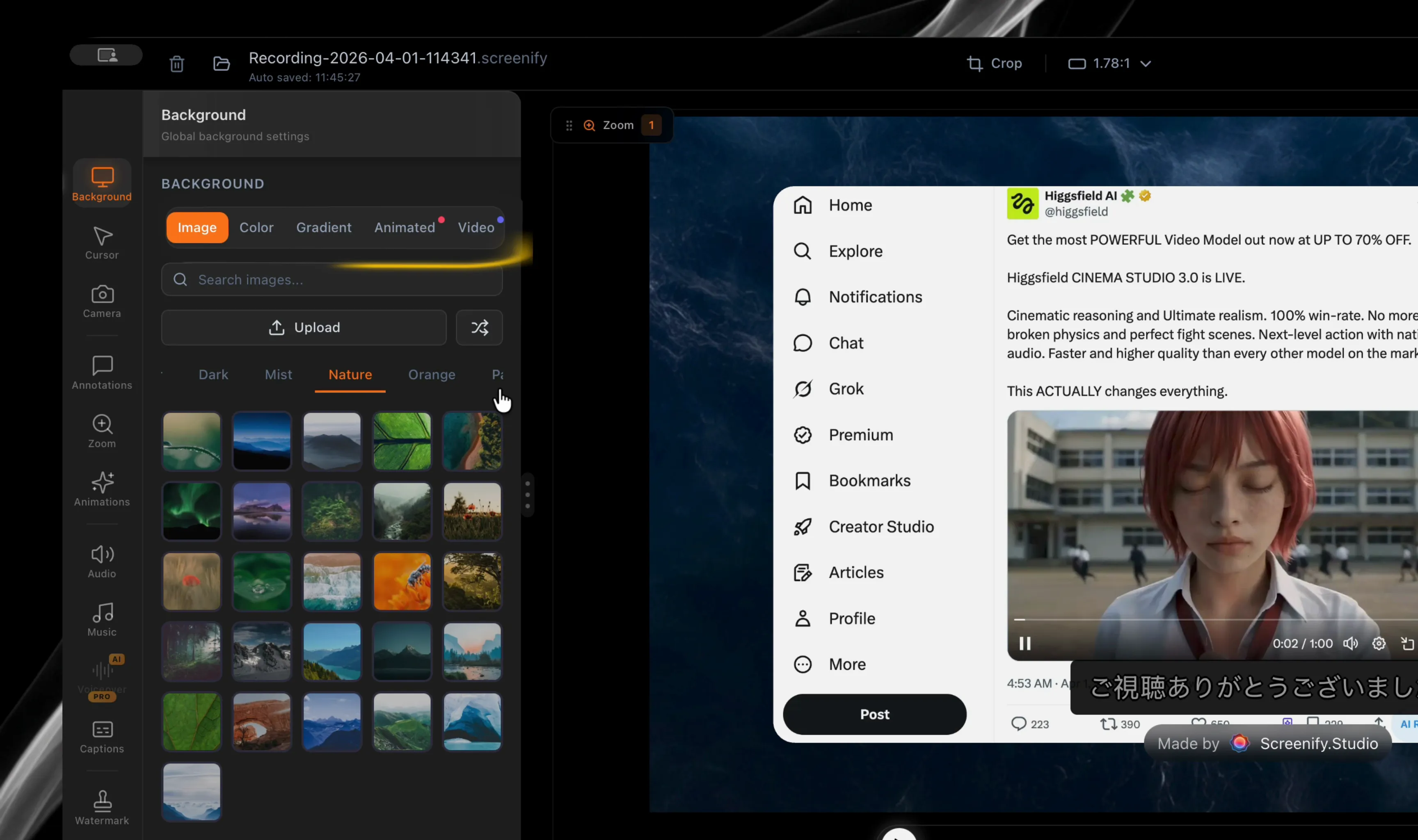
Dynamic Backgrounds
150+ Wallpapers150+ curated wallpapers across 9 categories. Video backgrounds, gradients & solid colors — studio-quality backdrops built in.
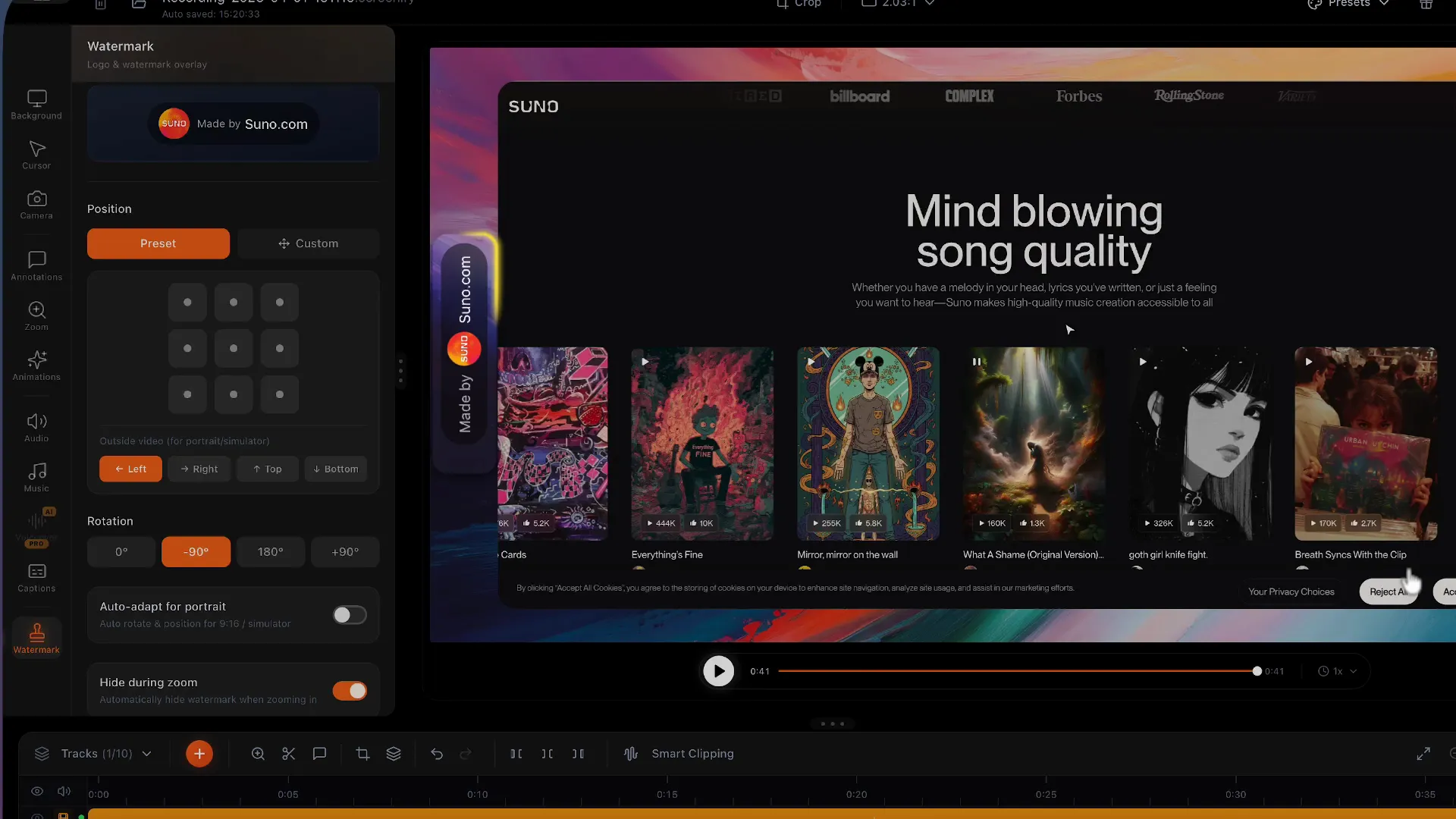
Custom Watermark & Branding
Logo placement, dynamic text watermarks, professional branding overlays.

10+ Specialized Tracks
Pro EditorDedicated tracks per content type — true NLE-level timeline with per-clip properties.

Flexible Recording Modes
Full screen, window, custom area, iOS Simulator, multi-monitor, and multi-mic recording.

AI Translation
AI50+ langsTranslate subtitles to 50+ languages with one click. All processing 100% local.

AI Smart Clipping
AIAI EditorAuto-detect silence, dead zones & inactivity. Review AI suggestions, trim in one click.

Music & Audio Library
AudioBuilt-in royalty-free music and sound effects. Adjust volume, fade in/out per clip.
Everything you need, built in
Professional recording, editing, and sharing tools — no plugins required.

Professional Editor
10+ specialized tracks on timeline. Per-clip properties: trim, effects, text overlays, annotations. Drag-and-drop organization.
Tap to expand

Instant Sharing
Secure shareable link, embed anywhere, view analytics.

Keystroke Display
Show keyboard shortcuts on screen. Custom position, styling.

Event Descriptions
Annotate timeline events with text labels for clear, contextual walkthroughs.

Flexible Window Capture
Capture any window, custom region, or full screen with one click.
Keystroke Display
Show keyboard shortcuts on screen. Custom position, styling.
Event Descriptions
Annotate timeline events with text labels for clear, contextual walkthroughs.
Flexible Window Capture
Capture any window, custom region, or full screen with one click.
Keystroke Display
Show keyboard shortcuts on screen. Custom position, styling.
Event Descriptions
Annotate timeline events with text labels for clear, contextual walkthroughs.
Flexible Window Capture
Capture any window, custom region, or full screen with one click.
Keystroke Display
Show keyboard shortcuts on screen. Custom position, styling.
Event Descriptions
Annotate timeline events with text labels for clear, contextual walkthroughs.
Flexible Window Capture
Capture any window, custom region, or full screen with one click.

Metal Export — 2x Faster
Rewritten GPU pipeline on Apple Silicon. Zero-copy Metal acceleration, 4K in seconds.

Cursor & Click Effects
Highlight clicks and mouse movements with customizable visual effects.

Annotation Tools
Draw, highlight, and annotate directly on your recordings.
Metal Export — 2x Faster
Rewritten GPU pipeline on Apple Silicon. Zero-copy Metal acceleration, 4K in seconds.
Cursor & Click Effects
Highlight clicks and mouse movements with customizable visual effects.
Annotation Tools
Draw, highlight, and annotate directly on your recordings.
Metal Export — 2x Faster
Rewritten GPU pipeline on Apple Silicon. Zero-copy Metal acceleration, 4K in seconds.
Cursor & Click Effects
Highlight clicks and mouse movements with customizable visual effects.
Annotation Tools
Draw, highlight, and annotate directly on your recordings.
Metal Export — 2x Faster
Rewritten GPU pipeline on Apple Silicon. Zero-copy Metal acceleration, 4K in seconds.
Cursor & Click Effects
Highlight clicks and mouse movements with customizable visual effects.
Annotation Tools
Draw, highlight, and annotate directly on your recordings.
Camera Replacement &
AI Face Swap
Import any video to replace your camera feed — use pre-recorded intros, professional footage, or custom clips. Coming next: AI Face Swap to transform your on-camera presence while keeping natural expressions and lip sync.
Import Any Video as Camera
Drag-and-drop MP4 files to replace your webcam. Supports H.264, H.265, ProRes.
AI Face Swap (Coming Soon)
On-device face replacement — preserves expressions and lip movements.
Seamless Integration
Works with 3D perspective, camera layouts, background removal — everything.

Why Screenify Studio?
See how we compare to alternatives
| Feature | Screenify StudioAll platforms | Screen.StudiomacOS only | TellaMac + Web |
|---|---|---|---|
| AI Features | |||
| AI Background Removalon-device | ✓ | ✕ | ✕ |
| 100% Local AIno internet required | ✓ | Partialcaptions only | ✕ |
| AI Captions & Subtitlesword-level karaoke | ✓ | ✓basic subtitles | ✓cloud-based |
| AI Caption Translation | ✓50+ langs · on-device | ✕ | ✕ |
| Editing & Effects | |||
| 3D Cinematic Camera30+ templates & more | ✓30+ templates | ✕ | ✕ |
| Callout Effectszoom, dim, glow & 3D depth | ✓zoom + dim + glow + 3D | ✕ | ✕ |
| Built-in Video Editorcut · trim · multi-track | ✓ | ✕ | ✕ |
| Custom Watermark & Branding | ✓ | ✕ | Partial |
| Built-in Music LibraryIndustry standard | ✓ | ✓ | ✓ |
| Dynamic Backgrounds150+ wallpapers | ✓150+ wallpapers · 9 categories | ✓limited selection | Partial |
| Recording | |||
| Multi-Mic Recording | ✓ | ✕ | ✕ |
| Smart Auto-ZoomIndustry standard | ✓ | ✓ | Partial |
| 4K ExportIndustry standard | ✓ | ✓ | ✓ |
| Platform & Pricing | |||
| Free Plan Availableno credit card | ✓ | ✕trial only | ✕7-day trial only |
| Cross-Platform (Mac + Win + Linux) | ✓ | ✕ | PartialMac + Web only |
| Lifetime Licenseown forever | ✓ | ✕$9/mo annual · no lifetime | ✕subscription only |
Based on publicly available information, February 2026
Convinced yet?
Try all features free. No credit card required.
Simple, transparent pricing
Professional screen recording. Start free, upgrade when ready.
Free
Full recording suite, with watermark
- Unlimited recording — no time limit
- Unlimited local export — 1080p, with watermark
- 3D effects, callout effects & full editing suite
- 3 shareable links — 7-day expiry
Pro
Always latest. No decisions.
Save 17% vs monthly
Get Started- 4K export, no watermark
- AI Background Removal on-device
- AI Captions — word-level karaoke
- AI Translation — 50+ languages
- Unlimited shareable links
- 3 devices · Priority support
Always latest while subscribed.
Pro+
One final decision. Never pay again.
$299Launch price
Get Pro+- Everything in Pro, plus:
- Lifetime updates — forever, no renewal
- 5 devices vs 3 in Pro
- 100 GB cloud storage
No renewal ever. Updates forever.
30-day money-back guarantee. No questions asked.
Frequently asked questions
Ready to create beautiful recordings?
Download Screenify Studio and start creating today. Free forever, upgrade when ready.